About Safety Training Kiosk With Siganage
Standardize Induction, Compliance & Contractor Safety-Across Sites
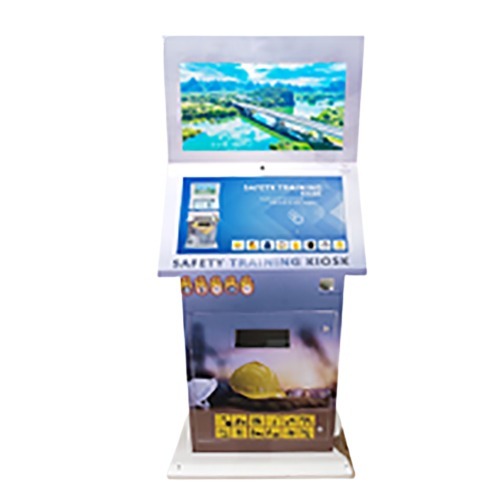
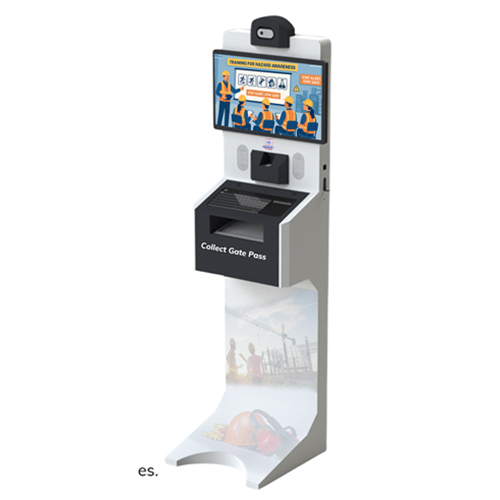
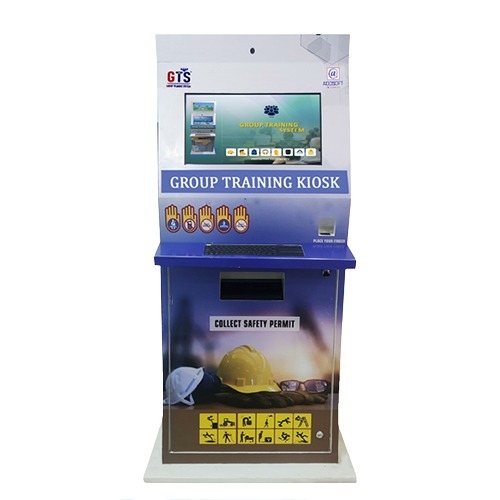
A Safety Training Kiosk is a self-contained, interactive induction and safety training platform for employees, contractors, and visitors. It delivers standardized content, captures assessment results, and generates audit-ready training records-helping organizations reduce risk and improve compliance.
Key Features & Functions:
- Al Driven Content Generation: Create and update training modules faster with Al-assisted content workflows.
- Automated PPT-to-Interactive Video Conversion: Convert PPTs into interactive learning modules with minimal manual effort.
- Multilingual Support: Multi-language support for global and multi-site deployment.
- Complimentary Mobile App: Mobile access for monitoring, reporting, and user management.
- Free Customized Printed Stationery: Branded certificates and reports (optional add-on based on project scope).
- Exclusive VVIP Safety Training Module: Visitor & Contractor Induction modes for high-security / VIP zones.
Ideal for: Oil & Gas, Construction, Logistics, Manufacturing, Airports Utilities, Pharma, Metals & Mining.
Versatile Interactive Safety SolutionThis kiosk caters to multiple safety and information dissemination needs in industrial environments and public spaces. With its 43-inch Full HD display and capacitive multi-touch, it allows for engaging, hands-on safety training and orientation. The anti-glare tempered glass ensures clear visuals even in bright indoor lighting, while customizable multi-language support breaks down communication barriers for diverse workforces.
Robust Design for Demanding EnvironmentsConstructed with a powder-coated metal body and IP54 rating, the kiosk is engineered for durability and dust protection. The integrated fan ventilation ensures reliable operation in temperatures from 0C to 50C. Lockable wheels enable secure placement and easy relocation, making it suitable for factories, warehouses, and other industrial settings.
Advanced Connectivity and Easy UpdatesStay up-to-date with wireless OTA (Over-The-Air) updates, USB input, LAN, and Wi-Fi connectivity. The kiosk supports both Bluetooth and 3.5mm audio outputs, dual 10W speakers, and optional camera integration. Remote control and real-time content management simplify operations across multiple locations.
FAQ's of Safety Training Kiosk With Siganage:
Q: How is the Safety Training Kiosk installed and can it be relocated within a facility?
A: The kiosk is designed as a floor-standing unit and features lockable wheels, allowing secure placement and easy relocation to different areas as training or informational needs change within your facility.
Q: What types of content can be displayed on the kiosk for safety training?
A: The kiosk supports a wide range of multimedia content, including videos, images, documents, and interactive graphics. This enables you to create dynamic safety training modules, employee orientation programs, and public information displays.
Q: How do I update or manage content on the kiosk?
A: Content can be updated remotely via Over-The-Air (OTA) updates or through direct USB input. Remote content management tools also allow you to schedule, distribute, and analyze training modules in real-time across multiple units.
Q: Where is this kiosk best utilized?
A: This unit is ideal for industrial sites, training centers, warehouses, manufacturing plants, and any environment where safety training or public information dissemination is essential.
Q: What is the benefit of the anti-glare tempered glass and capacitive touch interface?
A: The anti-glare tempered glass ensures clear, easy-to-read visuals under various lighting conditions, reducing eye strain. The responsive capacitive touch interface allows users to interact directly with training modules or information screens for a more engaging learning experience.
Q: Which languages does the kiosk support, and can it be customized for different languages?
A: The kiosk supports multi-language capabilities, allowing customization to suit the preferred languages of your users, ensuring accessibility and comprehension for diverse teams.
Q: What connectivity options are available for adding additional devices or integrating with networks?
A: Connectivity options include Wi-Fi, LAN, USB, and HDMI. You can easily connect the kiosk to your existing network infrastructure or peripherals, facilitating seamless operation and integration.





 Send Inquiry


 Send Inquiry
 Send Inquiry
 Send SMS
 English
 Spanish
 French
 German
 Italian
 Chinese (Simplified)
 Japanese
 Korean
 Arabic
 Portuguese